
The CallPlease mobile app now allows you to select a VoIP app for dialing.
📞 Finally! Choose Your Dialer: CallPlease Now Integrates with Your Favorite VoIP Apps!
Tired of context-switching just to make a business call? Do you rely on powerful VoIP tools like Zoom Phone or RingCentral for your professional dialing, but wish they could integrate seamlessly with your essential productivity apps?
Your workflow just got a massive upgrade. We are thrilled to announce a game-changing new feature in the CallPlease mobile app: The ability to select your preferred VoIP application for dialing, in place of your standard mobile phone app!
This feature is designed for the modern, mobile professional who needs their business communications to be integrated, cost-effective, and fully accountable—without sacrificing the core benefits of CallPlease.
🚀 Why You’ll Love Choosing Your Dialer
This isn’t just a minor tweak; it’s a fundamental improvement to how you manage your professional calls. Here are the key reasons why our users are asking for this feature, and why it will revolutionize your mobile workflow:
1. Maintain Professional Caller ID & Protect Your Privacy

- The Problem: When returning a call from your personal mobile phone, your personal number shows up on the recipient’s Caller ID.
- The Solution: By using your corporate VoIP dialer (like Zoom Phone or RingCentral), every call placed through CallPlease will automatically use your business line. This ensures professional caller ID consistency and keeps your personal mobile number private and separate from your work contacts.
- (SEO Focus: Business caller ID, keep personal number private, corporate phone system on mobile)
2. Slash Calling Costs with VoIP
- The Problem: Traditional mobile carriers charge for minutes, especially for long-distance or international calls.
- The Solution: Voice over Internet Protocol (VoIP) leverages your Wi-Fi or mobile data plan, often leading to significantly lower overall calling costs. When you dial through your preferred VoIP app, those calls are billed or included in your company’s existing business phone plan, not your personal cell minutes.
- (SEO Focus: VoIP calling on mobile, lower business phone costs, internet calling app)
3. Streamline Your Workflow and Eliminate Context-Switching
- The Problem: Before, using CallPlease for your call logs meant you’d tap a number, and your phone’s dialer would open, forcing you to manually switch to a different app (like Zoom Phone) to initiate the business call.
- The Solution: Now, when you tap to call a contact in CallPlease, we send that number directly to your selected default dialer app, whether it’s the native phone app or your favorite VoIP client. It’s one tap from log to conversation.
- (SEO Focus: integrate VoIP with productivity apps, seamless mobile dialing, softphone integration)
💡 Addressing Your Top Questions: Zoom Phone & RingCentral Users on iPhone
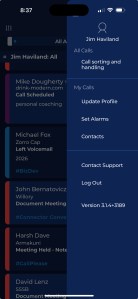
We know many of our users already use industry-leading solutions on their iPhones. You’ve been asking: “Can I set Zoom Phone as my default dialer?” and “How can I make RingCentral my one-tap option?”
While the iOS operating system allows users to set a preferred dialer within the phone’s settings (leveraging Apple’s CallKit), the new CallPlease feature gives you granular control within our app, ensuring that the right number gets sent to the right service, every time.
CallPlease is the essential bridge. If you’re a power user of Zoom Phone, RingCentral, or other CallKit-enabled business communication apps, CallPlease now works perfectly with your setup to ensure:
- Your detailed call logs are captured and shared in CallPlease.
- You use your preferred, cost-saving VoIP app for the actual outgoing call.
- You can manage your call workflow from one central hub: CallPlease.
⚙️ How to Enable Your VoIP Dialer in CallPlease
Ready to set your business calls free? Switching is quick and easy:
- Open the CallPlease Mobile App.
- Navigate to Settings.
- Select Dialing Preferences (or similar wording based on your app update).
- Choose your preferred VoIP app (e.g., Zoom Phone, RingCentral, etc.) from the list of available services installed on your device.
That’s it! The next time you tap a number in your CallPlease log, your chosen VoIP app will pop up, ready to make your professional call.
Ready to experience the next level of integrated mobile communication?
Download the latest CallPlease update today on the App Store or Google Play and start using your preferred VoIP dialer!
Let us know which app you would like us to add.
 CallPlease Learning Center