We like to convert the questions of our users into articles to everyone find the information they are looking for just that much easier.
Do I need my own CallPlease account?
There are a couple of ways to answer.
- User Accounts: CallPlease user accounts are tied to an email address as the unique user identifier. We use this same email address to send you requested content or to help reset a password. We do have plenty of users that share a log-in because they work different shifts or they are using it as part of a department that only users CallPlease sporadically or share a single computer. The way that we maintain security makes it very difficult for users who are on different computers to share an account. If they try to use it at the same time, they will log each other out. This can be very frustrating.
- Company Accounts: There can be many separate Billing Accounts within a company. However, only users within a single Billing Account can collaborate on Call Logs. If you may work with other people in the company with existing billing accounts, you may want to join their account. We can help to merge Billing Accounts. Accounts that are sufficiently large and subscribing to our higher tier accounts can request invoice billing. All other accounts must pay by credit card.
How do I start a CallPlease account?
There are two ways to start using CallPlease as a user.
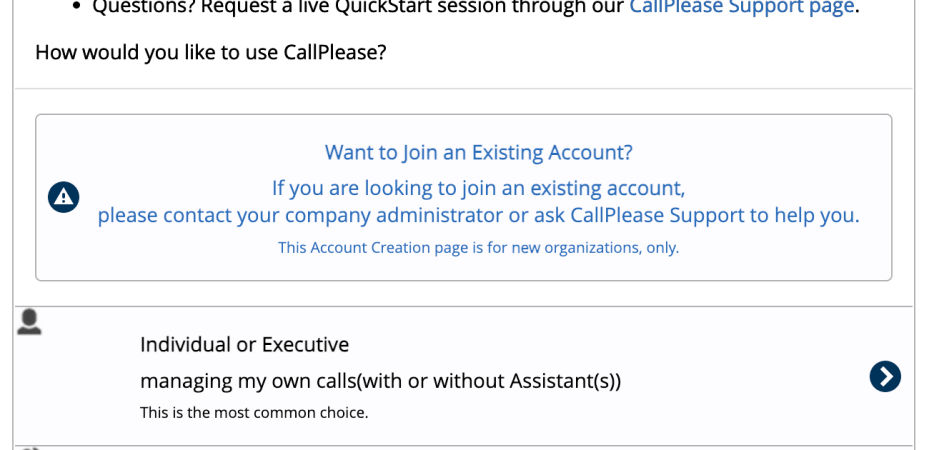
- Start a Trial: From the home page, Click on the Try It! button in the upper left corner to set-up your trial. This creates a new Billing Account that will be free for 14 days. You can add as many users as you want to this trial. If you want to collaborate with someone that already has a CallPlease account, don’t use this method.
- A Company Administrator adds you to an existing account: Any CallPlease user can be a Company Administrator. Only Company Administrators can add or delete users.
You need at least 1 call log
Your account needs to have at least 1 call log. That means you either need to have an Executive user or you create a Shared Call Log. Assistant users don’t have their own Call Logs or Address Books automatically. They can collaborate with Executive users or they can participate in Shared Logs.
 CallPlease Learning Center