For many CallPlease users, calls are a way of life and using CallPlease has enabled them to make many more useful and impactful calls everyday. That said, Call Logs can get pretty long, pretty quickly. Some CallPlease users generate a thousand calls a week. With that kind of volume, speed matters. Luckily we can help with that too.
First, it is worth pointing out that our interface was designed to help you focus on what is Urgent & Important. Many of our users have found great Time Management benefits in using Shared Call Logs to categorize their interactions using a Time Management technique like Getting Things Done (GTD) or The Eisenhower Method. We encourage you to think about keeping your primary Call Log as a place for things that need to be addressed this week or this month and moving everything else to a Shared Call Log dedicated to longer-term concerns, then reviewing that list on a regular basis to see what needs to be moved back into your Urgent and Important list. You can also use the Alarms to remind you of things that are on-hold or need to be revisited later on.
CallPlease is designed to provide update-to-date information at all times. This requires frequent conversation between your computer or smartphone and our systems. If you have lots of calls in your log, network speed can have a significant impact on your screen refresh speed. Corporate networks can also sometimes have management or security settings that slow down traffic.

For most users, CallPlease speed will never be an issue. The CallPlease apps and browser version update through pushes from our side so data comes in faster than you can notice. We have heard – mostly from the assistants of very busy Executives – that they notice every small tweak we make to speed things up, especially the full refresh of the browser.
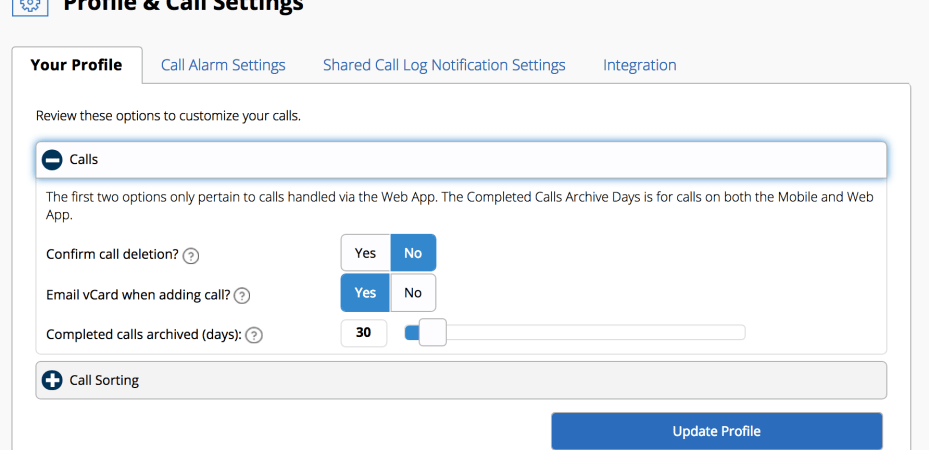
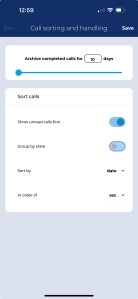
CallPlease includes one setting that can have a major impact on the speed of refreshes – Completed calls archived (days)! This can be set between 1 and 365 days and impacts how many Completed calls are kept in the current windows. The calls are never lost, but the Archived calls are not pulled into the browser until you select the Archive tab. Long time users can have tens of thousands of calls in the Archive tab.
Reloading the browser always pulls all the current calls from the server, so it is best to avoid hitting browser refresh unless you have to. New information is pushed to the browser from the CallPlease servers to keep you up-to-date without refreshing.
Archive versus Search
If you have many thousands of calls in the Archive, you will want to use the Search function rather than spending too much time in the Archive tab. Currently, the Archive tab retrieves ALL OF YOUR CALLS when you click on it. The Search function, however, does all the searching on our super fast servers in the Amazon cloud and just returns the results from the ALL of your call tabs, Archive, Completed, and Active. The Search function is a text search and looks at all the fields. Keep this in mind as you develop your strategy for keeping your CallPlease world tuned for speed.
 CallPlease Learning Center
[…] You will want to adjust the setting labelled Completed calls archived (days)! This can be set between 1 and 365 days and impacts how many Completed calls are kept in the current windows. The calls are never lost, but the Archived calls are not pulled into the browser until you select the Archive tab. Long time users can have tens of thousands of calls in the Archive tab. More about this can be found in the CallPlease Speed and Tuning note. […]
LikeLike